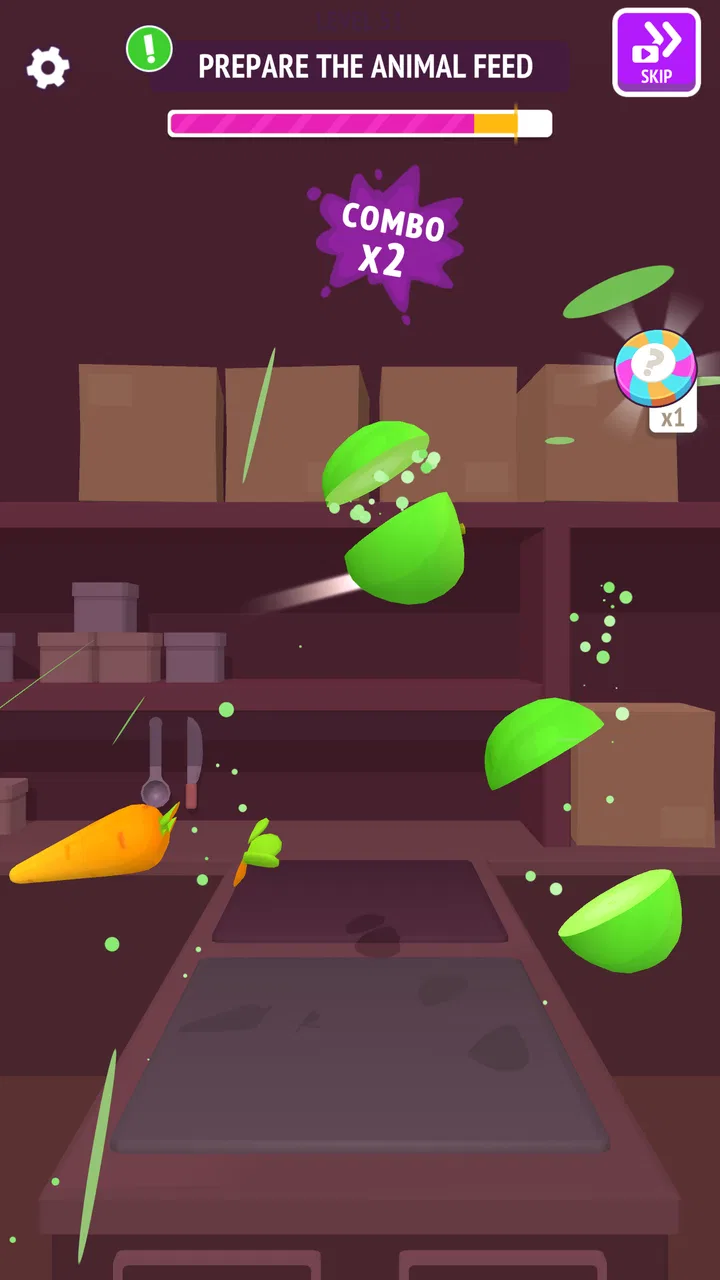
Zoo - Happy Animals
- 4.5
- Rating
- 100.00M
- Installs
- Free
- Price

 Analysis by App-foxy
Zoo - Happy Animals is the kind of simulation game I open when I want something light, visual, and easy to understand within a few minutes. I take on the role of a zoo manager, look after animals, and gradually work through the responsibilities that come with running the place. It comes from SayGames Ltd and is free to play, with optional purchases priced from $4.99 to $8.99 per item.
That simple premise hides the reason it has attracted such a large audience. The game has passed 100 million installs and holds a 4.5 average from around 534 thousand ratings, so it is clearly not a niche experiment. After spending time with it, I can see why: the controls are approachable, the tasks are broken into short activities, and the animal-care theme gives the usual management loop a friendlier personality.
My experience was not completely friction-free, though. This is a casual zoo simulation rather than a deep management game, and some players may find its pace or progression too guided. I think it works best for people who want short sessions with visible results, not for someone looking for the detailed economics, construction freedom, or long-term planning found in a heavier tycoon game.
You May Also Like

 AccuWeather: Weather Radar
AccuWeather Review: A Quick, Clear Forecast for Everyday Decisions
For everyday plans, the best forecast is the one you can understand quickly. AccuWeather makes rain timing, radar, and local conditions easy to act on, with a few trade-offs.

 Hill Climb Racing
Why Hill Climb Racing Still Turns Crashes Into One More Run
A tiny car, a bumpy hill and one more upgrade: Hill Climb Racing keeps resurfacing because its simple chaos makes every near-miss feel personal.

 AliExpress - Shopping App
AliExpress Makes Global Shopping Feel Personal, but Shoppers Bear the Risk
AliExpress turns a global marketplace into a pocket-sized discovery engine. Its reach is useful, its shopping loop compelling, and its trade-offs easy to miss.

 Lords Mobile: Kingdom Wars
Lords Mobile Is a Kingdom-Building Routine, Not a Quick Match
A case-by-case verdict on the building, battles, device demands, and social commitments that make Lords Mobile rewarding for some players and exhausting for others.

 PDF Scanner app - TapScanner
TapScanner Makes Paperwork Easier to Capture, Check, and Share
TapScanner makes scanning with a phone feel less like a rescue operation and more like a dependable step in getting work done. Its capture tools are useful, though not flawless.

 Block Blast!
 Shows How Much a Puzzle Game Can Leave Out
A quiet grid game shows why puzzle players increasingly value instant clarity, repeatable skill and low-pressure play—and where the genre still needs to catch up.
More From Our News Desk
View All News


What the first sessions feel like
The opening hours are built around learning by doing. Instead of asking me to understand a large collection of menus immediately, the game puts the focus on practical animal-related tasks. That makes the first session comfortable on a phone, especially when I only have a few minutes and do not want to study a complicated interface.
The strongest part of the presentation is its direct connection between an action and a visible improvement. I can see why a younger player or a casual gamer would enjoy that rhythm: complete a responsibility, see the zoo become more appealing, then move on to the next objective. The Teen content rating is worth keeping in mind for families, but the overall concept remains much gentler than a combat-focused game.
I also appreciate that the game does not require me to approach it like a spreadsheet. In a traditional tycoon title, I may spend more time checking income, staffing, visitor flow, and construction costs than actually enjoying the zoo. Here, the emphasis is more immediate. It feels closer to a sequence of small management challenges than to a full business simulator.
That difference is important when deciding whether to install it. If I want an accessible animal-care game that can be played in short bursts, it makes sense. If I want to design every path, calculate long-term profitability, and control a complex network of facilities, I would choose a more elaborate alternative in the simulation category instead.
Where players are most likely to get stuck
The first point of confusion is usually not the animal theme but the game’s expected pace. A player may enter hoping to build a completely personal zoo, then discover that the experience guides attention toward specific tasks. That is not necessarily a flaw, but it can feel restrictive if I am expecting a sandbox.
I found it useful to treat each objective as a small lesson rather than rushing through it. When a new activity appears, I first check what the game is asking me to complete before tapping around the screen. This reduces wasted actions and makes the progression feel more intentional. It also helps distinguish a real problem from a task that simply has not been finished in the required order.
Another common sticking point is expecting every improvement to happen immediately. Casual simulation games often connect progress to a sequence of actions, and Zoo - Happy Animals is easier to understand when I follow that sequence instead of repeatedly reopening the same area. If something appears unavailable, I look for the next visible responsibility rather than assuming the game has failed.
The touch interface can also create small mistakes on a compact phone. A hurried tap may select the wrong object or make me repeat an action. I get better results by holding the phone steadily and tapping the center of the intended item, particularly when several interactive elements are close together.
Simple setup checks before blaming the game
The game supports Android 8.0 and newer, which covers a broad range of devices. Before installing, I would still check the operating system rather than relying only on the phone’s age. Compatibility problems are often easier to solve before downloading than after a failed launch.
I also recommend leaving enough free storage for the installation and any normal device activity around it. I do not need a huge amount of space just for the idea of a zoo game, but a nearly full phone can make downloads, updates, and general app behavior unreliable. Clearing a little room is a sensible first step if installation pauses or refuses to complete.
For a smoother first run, I close demanding apps before opening the game, especially on an older phone. This is not a special requirement of the title; it is a practical way to reduce memory pressure and avoid mistaking general device sluggishness for a problem with the simulation itself.
If the game has just been updated, I give the device a moment after installation before judging performance. I prefer to restart the app once, then try a short session without switching rapidly between several applications. That basic routine often separates a one-time startup hiccup from a repeatable issue.
The game is free to download, but optional in-app purchases are available. I would approach those carefully, particularly on a shared family device. The listed purchase range is $4.99 to $8.99 per item, so checking purchase controls before handing the phone to a child is a sensible household habit. The game can still be approached as a free experience, but the presence of purchases changes how I would manage it for younger players.
Recovering a stalled workflow
When a task seems stuck, my first move is to retrace the immediate objective rather than repeatedly tapping the same control. I check whether I missed a required interaction, whether another activity needs to be completed first, and whether the screen is waiting for a deliberate confirmation. This is especially useful in guided games, where the next step may not be the one I instinctively choose.
I also avoid force-closing the game too quickly. If the interface is still responding, I finish the current action, return to a safe point, and then reopen it only if necessary. Closing an app during a transition can make a minor delay feel like lost progress, even when the underlying issue is temporary.
If the screen stops responding, I use a calm sequence: leave the app, wait briefly, reopen it, and test the same action once. If the problem repeats, I restart the phone and check whether other apps are behaving normally. That last check matters because a wider touch, memory, or operating-system problem can look exactly like a game-specific failure.
I would not immediately clear the game’s storage or reinstall it. Those steps can remove local information or create extra setup work, and they are poor first choices when the issue may be a temporary freeze. I reserve them for a persistent problem after simpler checks have failed, and I make sure I understand the possible consequences before using them.
One practical habit helps me avoid unnecessary frustration: I play with a stable connection when the game is starting or changing state, even if the individual interaction feels simple. A weak connection can interrupt loading or make a response appear late. I test again in a place with a more reliable signal before deciding that the installation is defective.
When the game may not be the real cause
Battery-saving modes can reduce performance on some phones, particularly when the system is already limiting background activity or processor speed. If the game feels unusually slow, I compare it with another visually active app. If several apps are affected, I look at the phone’s power and performance settings instead of focusing only on the zoo.
Heat is another useful clue. A warm device can become less responsive over time, and that may happen because of several demanding apps running together rather than because of one casual game. I close unused apps, remove the phone from direct heat, and let it cool before testing again.
Touch problems should also be checked outside the game. If taps fail on the home screen or in another app, the screen protector, moisture, or hardware may be responsible. In that situation, reinstalling the game would not solve the underlying issue.
Notifications and interruptions can make a short task feel broken when the actual problem is that the app lost focus. I prefer to silence unnecessary interruptions during a session, finish one objective at a time, and then see whether the behavior remains. This is particularly helpful on a small screen where returning to the exact previous state can be awkward.
Finally, I keep the current version in mind. The version listed for the game is 1.4.10, so I check that my installation is not outdated before spending time on deeper troubleshooting. Updating is not a guarantee that every issue disappears, but running an old build makes it harder to know whether a problem is local to my device or already addressed elsewhere.
How to get more from each short session
My most useful approach is to decide what kind of session I am having before I start. If I have only a few minutes, I focus on one visible responsibility and stop after completing it. If I have longer, I use the time to understand the relationship between animal care and the wider zoo progression instead of tapping through every available prompt.
I also avoid judging the game by the first few minutes alone. The early guidance is intentionally simple, and that can make the experience seem shallow if I expect strategic complexity immediately. I look instead at whether the steady sequence of care and improvement is satisfying. For me, the appeal comes from the small sense of order: the zoo becomes more manageable because I deal with one responsibility at a time.
A less obvious trade-off is that convenience can reduce experimentation. Guided tasks help me avoid confusion, but they also mean I have fewer reasons to test unusual approaches. Players who enjoy discovering systems without direction may feel that the game is holding their hand. Players who prefer clear goals will probably see the same structure as a benefit.
Another useful distinction is between relaxation and optimization. I play this as a relaxing simulation, not as a challenge to maximize every possible result. That mindset makes the straightforward tasks enjoyable. If I start treating every action as a calculation, the game feels less rewarding because it does not aim to provide the same depth as a serious tycoon simulator.
Who should play it, and who should skip it
I would recommend it to someone who likes animal themes, quick management activities, and games that explain themselves through action. It is also a reasonable choice for a commuter or anyone who wants a casual phone game that can be checked in short sessions without learning a large ruleset.
It may suit families looking for a non-combat simulation, but I would still pay attention to the Teen rating and the optional purchases. For a younger player, I would discuss the purchase controls beforehand and keep the device settings appropriate for the household.
I would skip it if my main goal were a detailed zoo-building sandbox. Someone who wants extensive layout planning, complex budgets, or a highly independent creative mode will probably be happier with a more sophisticated management game. I would also skip it if I dislike guided progression, because the accessible structure is central to the experience rather than a minor feature.
The comparison with usual alternatives is therefore straightforward. Compared with a deep tycoon game, this is easier to pick up and less demanding, but it offers less room for elaborate planning. Compared with a purely idle animal game, it feels more hands-on because I am actively dealing with responsibilities rather than only watching numbers rise. That middle position is its main strength.
My practical verdict after using it
Zoo - Happy Animals succeeds when I treat it as a friendly, task-focused simulation rather than a complete zoo-management business. SayGames Ltd has made the basic loop approachable, and the animal-care setting gives each short session a clear purpose. The free entry point also makes it easy to test before deciding whether the style suits me.
Its limitations are equally clear. The guided structure will not satisfy everyone, optional purchases require sensible supervision, and players seeking serious economic strategy should look elsewhere. Some apparent problems may also come from storage, heat, connection quality, outdated software, or a phone-wide touch issue, so I would run through those checks before assuming the game itself is responsible.
For my own use, the best scenario is a brief break when I want something active but not stressful. I can open it, handle a manageable zoo responsibility, and leave without needing to remember a complicated plan. Its real strength is the balance between animal-care charm and low-pressure management. If that sounds like the kind of game you want, this is worth trying; if you want total creative control and deep tycoon systems, choose a more demanding alternative instead.
FAQs for Zoo - Happy Animals
01What is Zoo - Happy Animals and what can I do in the game?
Zoo - Happy Animals is a delightful simulation game where players can build and manage their own zoo. You can acquire various animals, design enclosures, and create an enjoyable experience for visitors. The game allows you to expand your zoo, ensuring the animals are well cared for and the guests are entertained.
02Is Zoo - Happy Animals suitable for children?
Yes, Zoo - Happy Animals is designed to be family-friendly and is suitable for children. The game features simple controls and educational elements about animals and their habitats. However, parental guidance is recommended to ensure that in-app purchases are managed effectively.
03Are there in-app purchases in Zoo - Happy Animals?
Yes, Zoo - Happy Animals includes in-app purchases. These can enhance gameplay by allowing players to unlock special animals, decorations, and additional zoo features. While the game can be enjoyed without purchases, some players may opt for them to accelerate progress or customize their zoo further.
04Can I play Zoo - Happy Animals offline?
Zoo - Happy Animals requires an internet connection for certain features, such as updates and social interactions. However, basic gameplay, including managing your zoo and caring for animals, can often be played offline. To fully experience all features, a stable internet connection is recommended.
05How does Zoo - Happy Animals handle user privacy?
Zoo - Happy Animals takes user privacy seriously. The app collects minimal data necessary for gameplay and improving user experience. It adheres to strict privacy policies, ensuring that personal information is protected. Users can review the full privacy policy within the app settings to understand data handling practices.
Pros
- Engaging and colorful graphics.
- Wide variety of animal species.
- Intuitive user interface.
- Regular updates with new features.
- Educational content for kids.
Cons
- In-app purchases can be frequent.
- Requires constant internet connection.
- Large file size may need more storage.
- Limited offline play options.
- Ads can be intrusive at times.

Zoo - Happy Animals
Gallery